XIV Profitability for Android
Now on Google Play: the XIV Profitability app ranks what's worth crafting, flipping, farming, gathering and sending your retainers after — priced live against the market board on your world. Free to download, Android 8.0+, 12 languages.
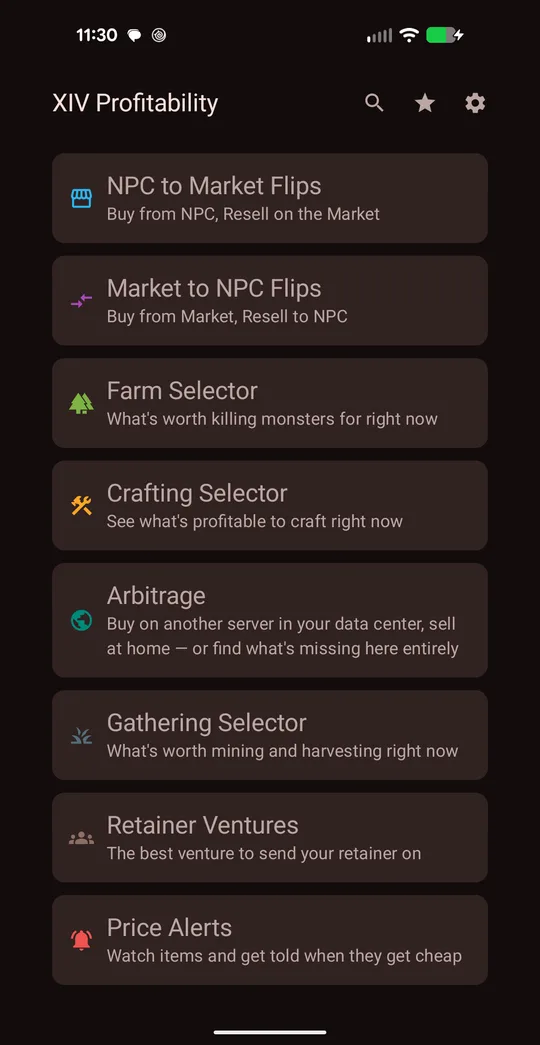
GET IT ONGoogle Play How to use the app →The website has always worked on a phone, but the moment you actually need a number is when you're standing in front of the market board with a full inventory. The app is built for that moment: open it, tap a tool, and you get a ranked list of what's making gil on your server right now — no browser tabs, and it keeps watching prices for you after you close it.
What the app does
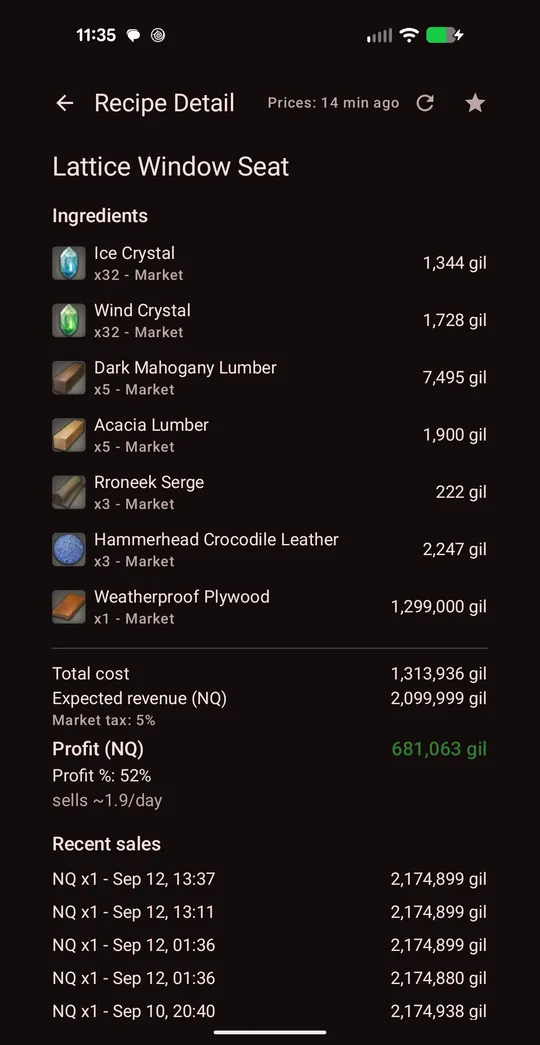
Crafting profit, with the math shown
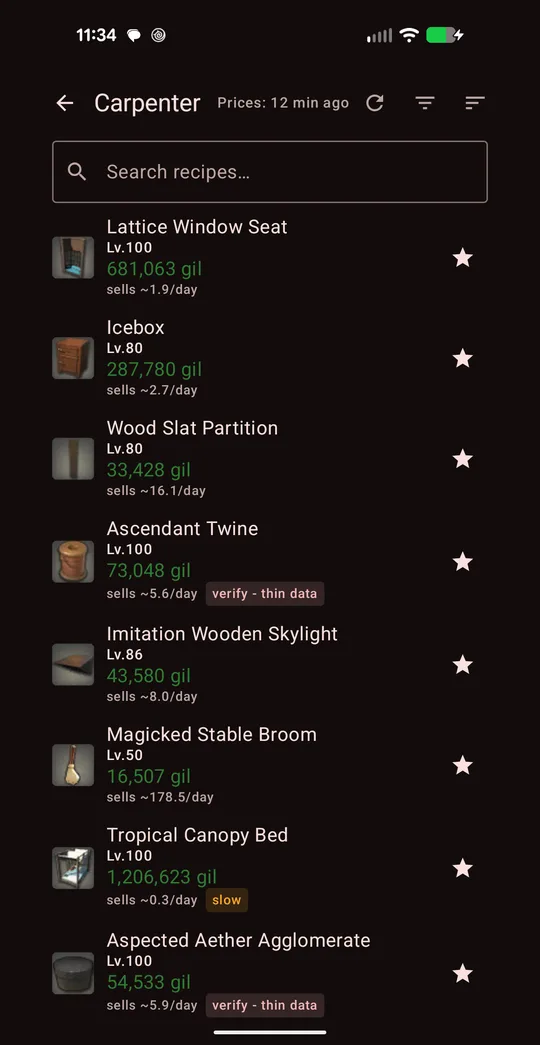
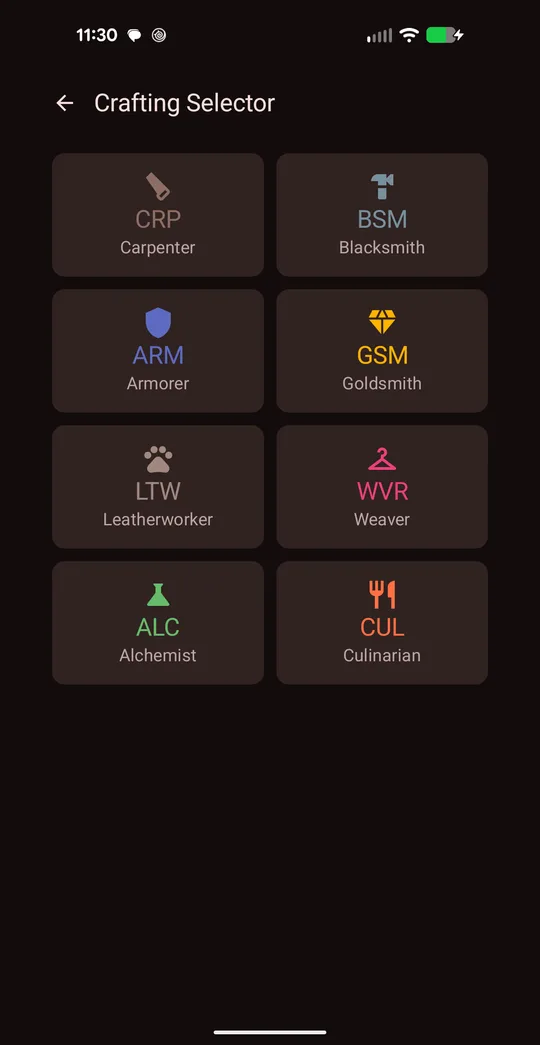
Pick any of the eight crafters and every recipe you can make is ranked by profit after ingredient costs and the 5% market tax. Each ingredient is priced at whichever is cheaper — the board or an NPC vendor — and the expected sale uses what the item actually sells for, not the highest listing.
Tap a recipe to see the full breakdown: every ingredient and where it's priced from, total cost, expected revenue, profit, margin, and the most recent sales. If a number looks too good, this is where you check it.
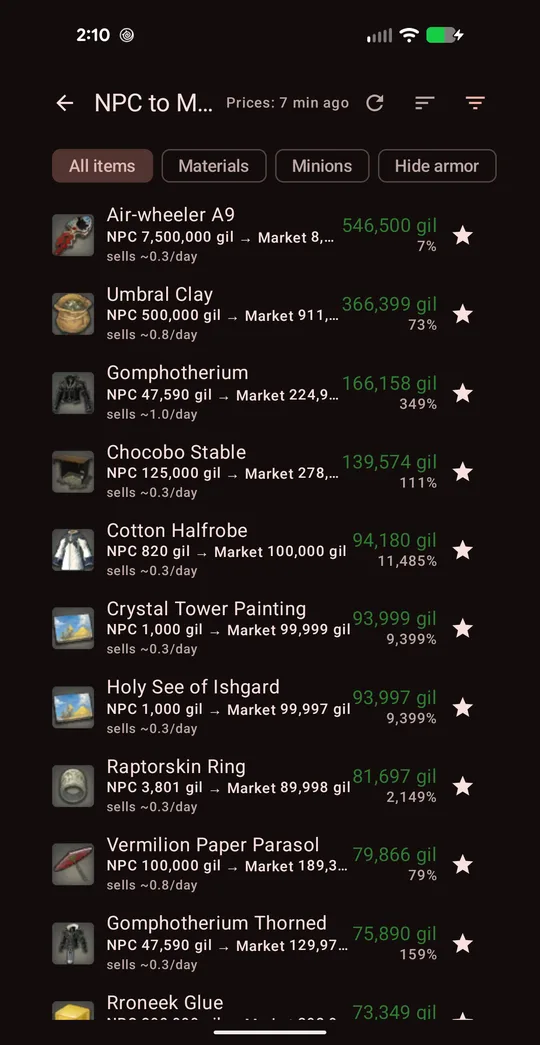
Flips in both directions
NPC → Market finds things vendors sell for a few gil that players pay thousands for, with profit per flip, margin, sales per day, and which NPC sells it (with map coordinates).
Market → NPC catches the opposite: listings priced below what a vendor will pay you.
Arbitrage compares every world in your data center — buy cheap on another world, sell at home — and Blind Spot Mode lists items nobody is selling on your world at all.
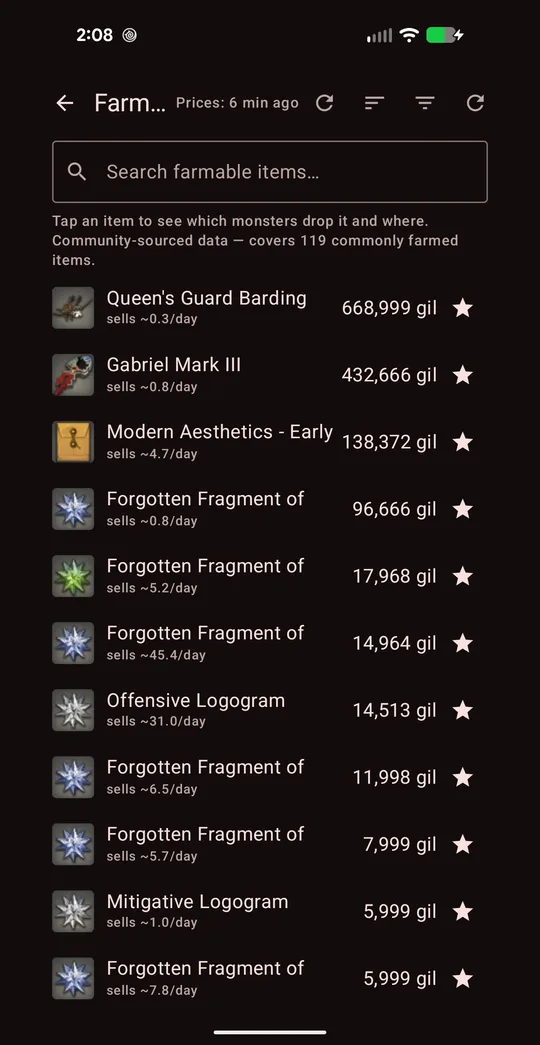
Farming, gathering and ventures
The Farm Selector ranks monster drops by today's price; tap one to see which monsters drop it, their level, zone and coordinates. The Gathering Selector does the same for Miner and Botanist nodes and flags timed nodes.
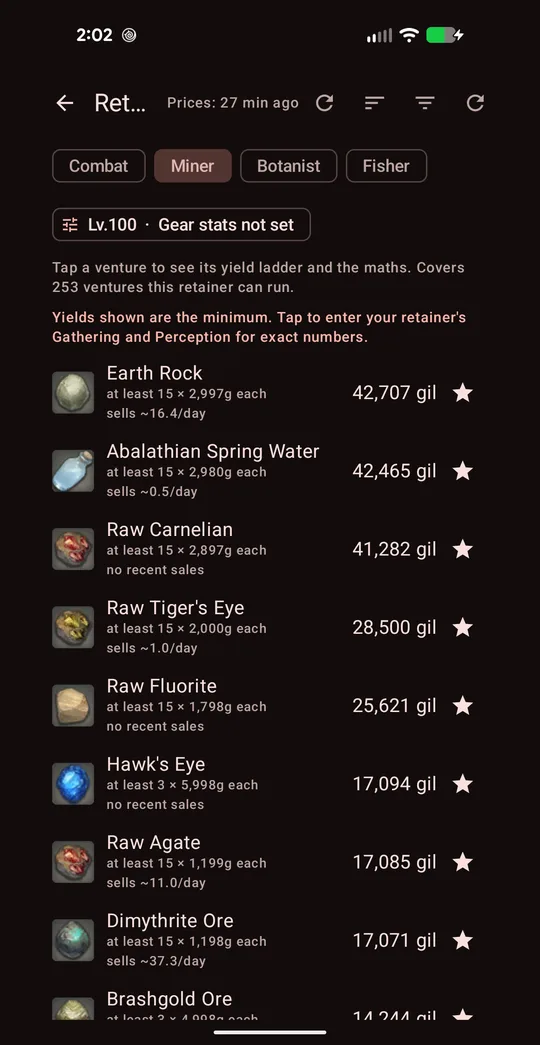
Retainer Ventures takes your retainer's class, level and gear stats and shows which venture brings back the most gil at current prices — for Combat, Miner, Botanist and Fisher retainers.
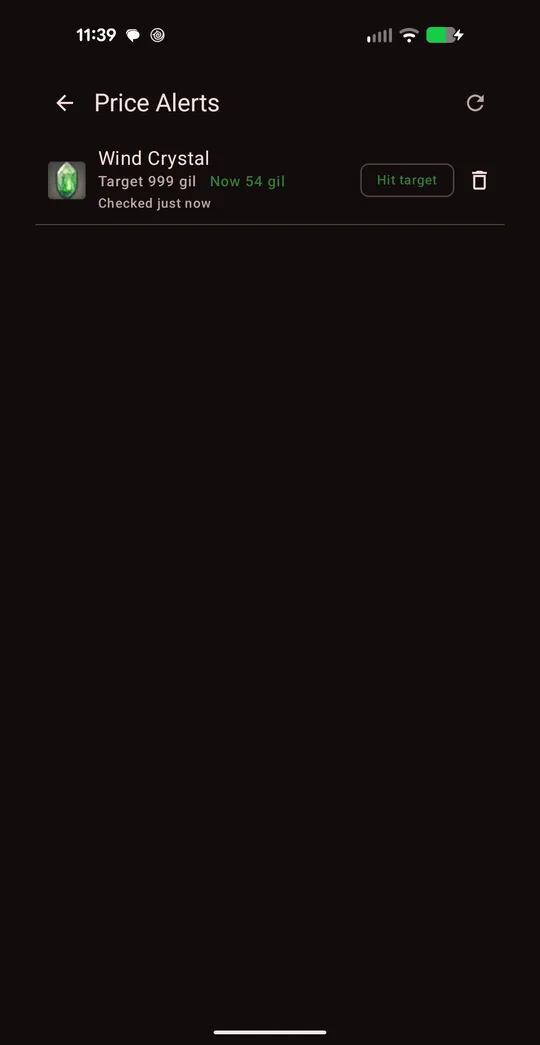
Price alerts (app only)
This is the one thing the website can't do. Set "Notify me under" on any item and the app watches it. Turn on background checks in Settings and it checks about once an hour, sending a notification when an item drops to your target — even with the app closed. It's off until you switch it on.
Use it to buy materials when they dip, or to know the moment a rare item you're hunting gets listed cheap.
App or website — which should you use?
Both use the same calculators and the same live Universalis prices, so the numbers match. Use whichever fits the moment.
| Android app | Website | |
|---|---|---|
| Crafting, flips, arbitrage, farming, gathering, ventures | Yes | Yes |
| Price alerts in the background | Yes | No |
| Languages | 12 | 4 (EN/JA/DE/FR) |
| Duties, GC seals, desynth, leves, tomestones, inventory crafter | No | Yes |
| Weekly Market Pulse report | No | Yes |
| Works on iPhone / PC | No | Yes |
| Cost | Free, optional one-time unlock | Free |
Free vs. full version
The app is free to download and every tool works in the free version. Free mode shows a sample of results on each list, and you can watch a short ad to reveal more. A one-time purchase removes ads and unlocks every result, plus filtering, sorting and Favorites. There is no subscription, and the price is shown in the app before you buy.
Privacy and permissions
- No account, no sign-in. The app never asks for your Square Enix ID, character or email.
- It never touches the game. It only reads public market data from Universalis and game data bundled inside the app.
- Permissions: internet access (to fetch prices) and, only if you turn on price alerts, notifications.
- Ads: the free version shows Google ads. You can review or change your ad-consent choice any time under Settings → Ad Privacy Options.
Full details are in the privacy policy.
Languages
The app's interface is available in English, Japanese, German, French, Spanish, Portuguese, Russian, Chinese, Korean, Arabic, Hindi and Indonesian. You choose on first launch and can change it any time in Settings. Item, NPC and zone names stay in English in every language.
FAQ
Is there an iPhone version?
Not yet. On iPhone, use xivprofitability.com — it runs the same calculators in Safari with nothing to install.
Why does a price in the app differ from what I see in game?
Prices come from Universalis, which updates as players upload market data, so some items can be minutes or hours behind. Every screen shows how old its prices are; tap refresh to fetch again, and sanity-check big plays on the in-game board before committing a lot of gil.
What do the "slow" and "verify - thin data" badges mean?
Slow means the item sells below your slow-seller threshold (set in Settings). Verify - thin data means there are too few recent sales to trust the expected price — check the recipe's recent sales before crafting a stack.
Will my web favorites or settings carry over?
No. The website stores its settings in your browser and the app stores its own on your phone; nothing is synced because there are no accounts.
What Android version do I need?
Android 8.0 (Oreo) or newer.
GET IT ONGoogle Play Step-by-step: how to use the app →XIV Profitability is a fan-made tool operated by First Impact Development LLC. It is not affiliated with, endorsed by, or sponsored by Square Enix. FINAL FANTASY XIV © SQUARE ENIX CO., LTD. Google Play and the Google Play logo are trademarks of Google LLC. Market data from Universalis.