How to use the XIV Profitability Android app
Quick answer: Pick your language and home world, enter your class levels in Settings, then open any tool from the home screen. Every list is ranked by profit on your world; tap a row for the full breakdown, and use "Notify me under" on an item to get a price alert.
This walkthrough takes you from a fresh install to your first profitable craft, then through the other tools. Every screenshot is from the real app. If you haven't installed it yet, start on the app overview or grab it from Google Play.
1First launch: language and world
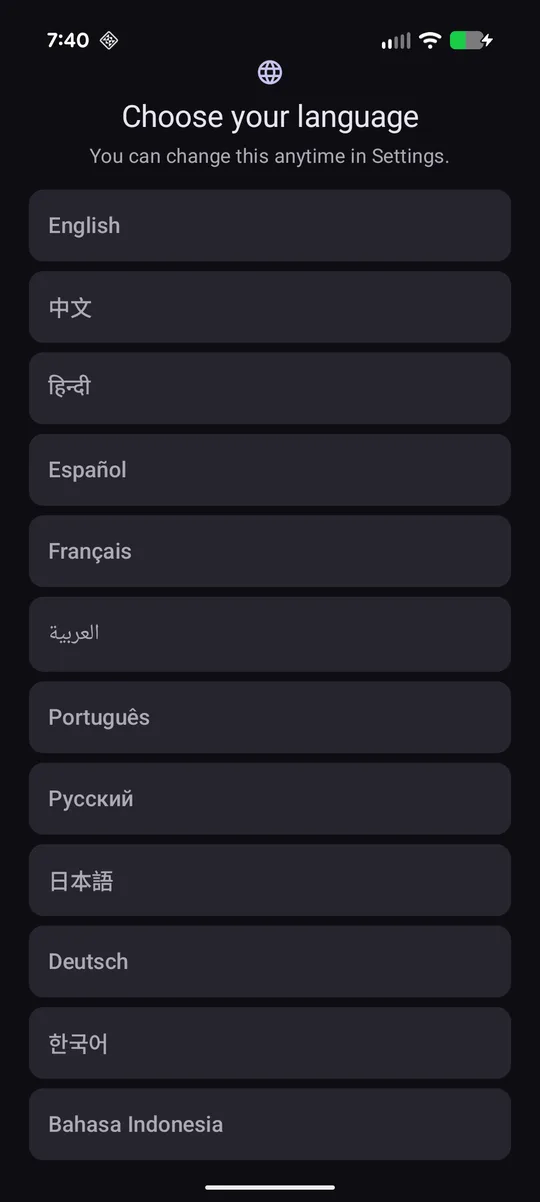
The first screen asks you to choose your language. There are 12; pick yours and you can change it any time later in Settings → Language.
Next, pick your home world — the world you sell on. This matters more than anything else in the app: the same item can be worth ten times more on one server than another, and every price, profit and sales figure is calculated for the world you choose.
The app then offers to set up your crafting and gathering levels. You can skip it, but it's worth thirty seconds — see the next step.
2Settings worth changing on day one
Open Settings from the gear icon on the home screen. These make the lists match how you play:
- My crafting levels / My gathering levels — only recipes and nodes at or below each class's level are shown, so you're never looking at something you can't make.
- Rank by HQ profit — turn on if you craft HQ reliably; recipes are ranked on the HQ sale price.
- Slow-seller threshold and Hide slow sellers — anything selling fewer times per day than your threshold is flagged (or hidden). Start around 1–3 sales/day.
- Max craft budget — hides recipes whose ingredients cost more than you want to spend.
- Theme — System, Light or Dark.
3Find a profitable craft
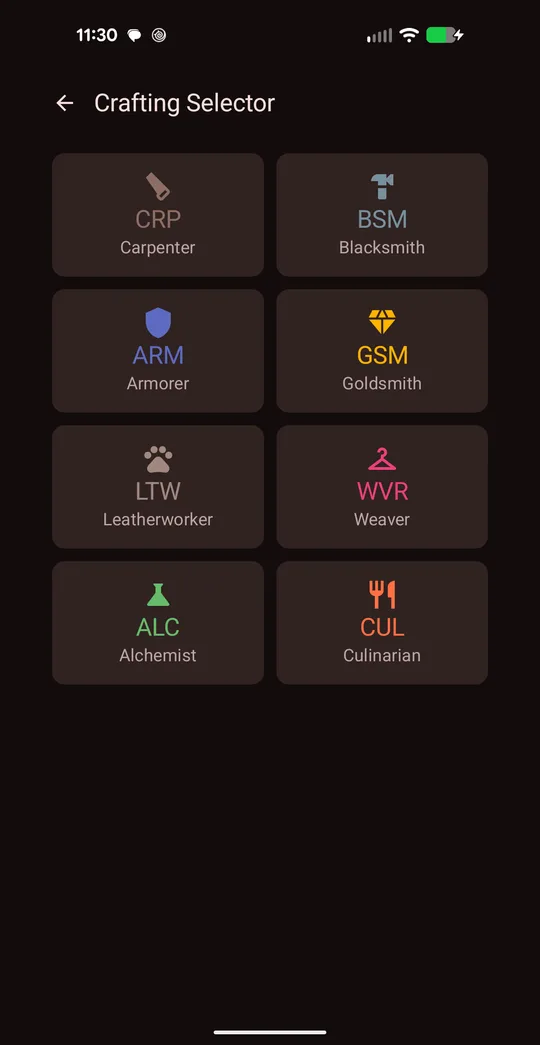
From home, tap Crafting Selector, then pick a crafter — Carpenter, Blacksmith, Armorer, Goldsmith, Leatherworker, Weaver, Alchemist or Culinarian.
The app fetches live prices for every recipe that class can make (a loading screen keeps you company — big lists can take a minute or two the first time; after that, prices are cached).
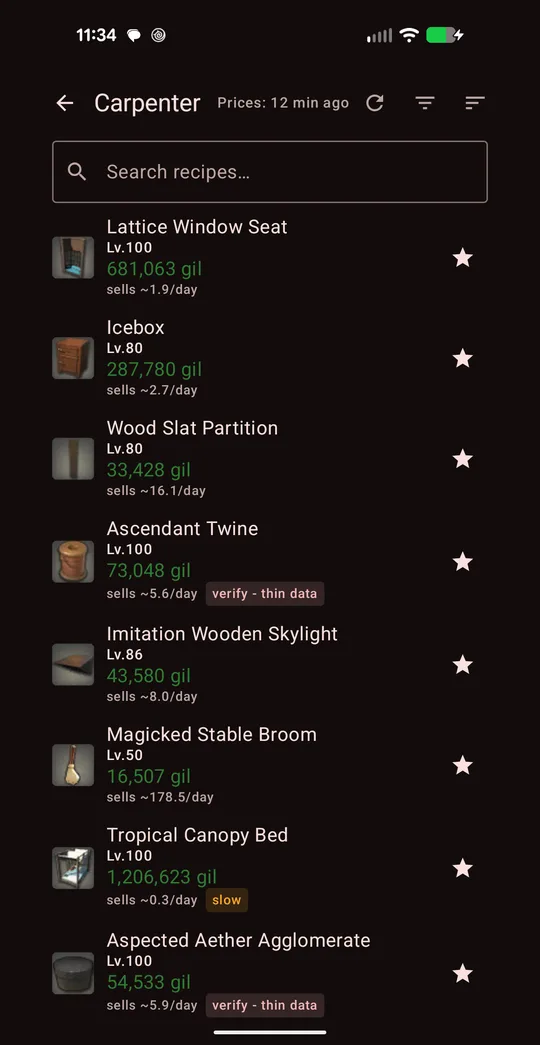
You get a ranked list. Each row shows:
- the item and its recipe level,
- profit in gil (green) — after ingredients and the 5% market tax,
- sells ~N/day — how fast it actually moves on your world,
- and a warning badge if the data is thin or it sells slowly.
The default order weighs profit against how fast it sells, so the top of the list is the best gil-per-day, not just the biggest number. Use the search bar to jump to a recipe, and the star to save it to Favorites.
4Read a recipe breakdown
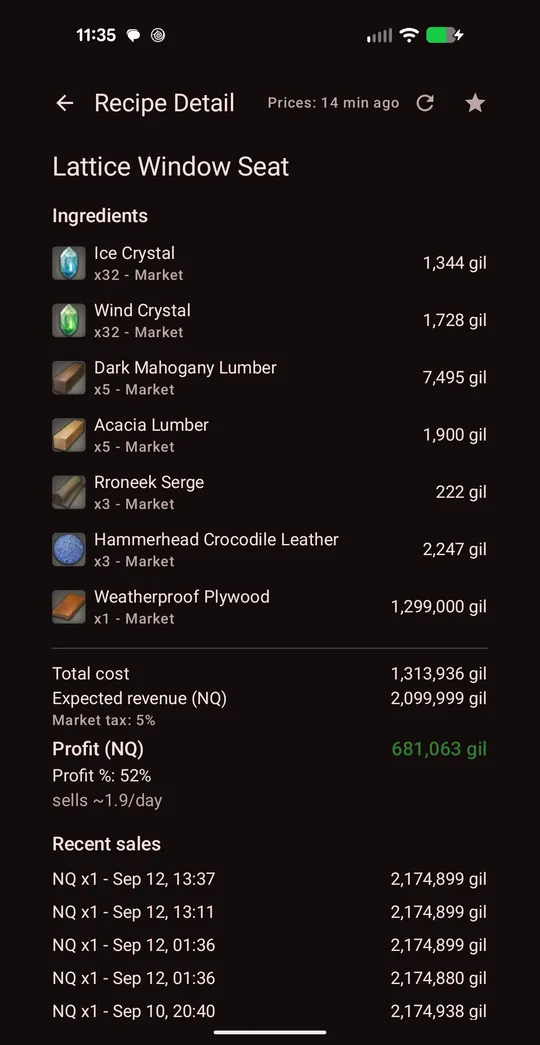
Tap any recipe to open its detail page. This is where you confirm a craft is real before buying materials:
- Ingredients — each with quantity, price, and where it's priced from (Market or Vendor — the app always uses whichever is cheaper).
- Total cost, expected revenue, the market tax, and the resulting profit and profit %.
- Recent sales — the last actual sales with date, quality and price.
Look at the ingredients list for one item doing all the work. In this example a single Weatherproof Plywood makes up almost the whole cost — so check its price in game before you commit, because that one listing decides whether the craft is worth it.
5NPC and market flips
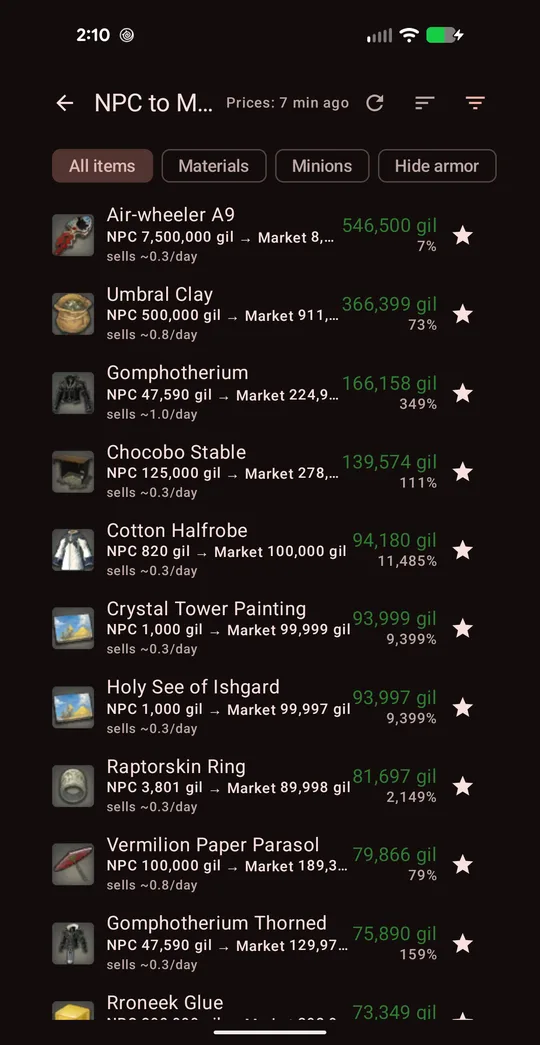
NPC to Market Flips lists items a vendor sells cheaply that players buy for much more. Each row shows the NPC price → market price, your profit and margin %, and sales per day. Filter chips at the top narrow it to Materials, Minions, or hide armor.
Tap an item to see which NPC sells it and where (zone and coordinates), then go buy and list it.
Market to NPC Flips works in reverse — items listed for less than a vendor pays. These disappear fast, so act quickly when one shows up.
Arbitrage compares the other worlds in your data center. "Cross-Server Flips" are items cheaper elsewhere than at home; "Blind Spot Mode" shows items nobody is selling on your world at all.
6Farming and gathering
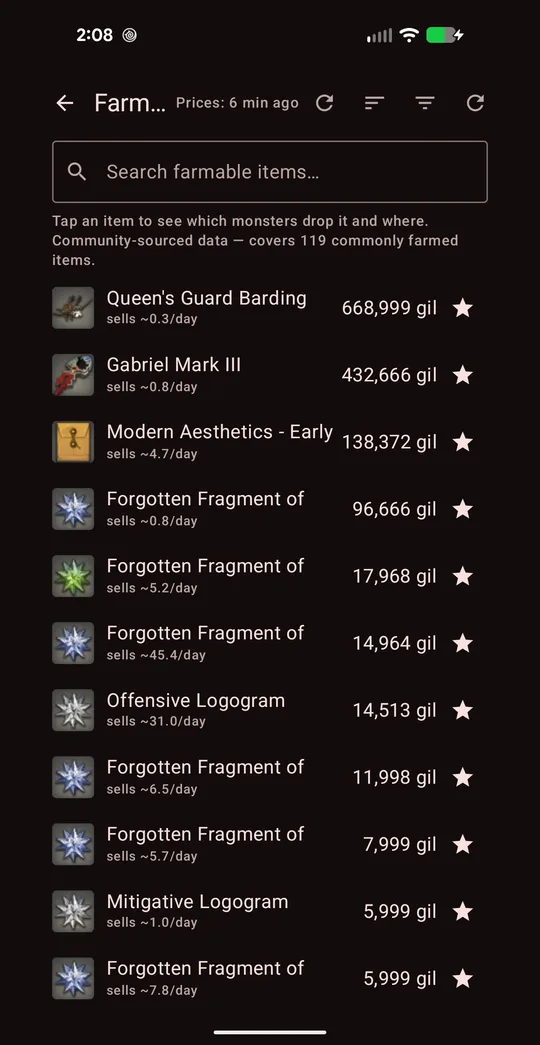
Farm Selector ranks monster drops by current market value. Tap an item to see which monsters drop it, plus their zone, level and map coordinates — then go hunt.
Gathering Selector does the same for Miner and Botanist: tap an item for node type, level, zone and coordinates. Timed nodes are flagged so you know to check the clock.
As always, glance at sells ~N/day: a pricey drop that sells once a week is a lottery ticket, not a route.
7Retainer ventures
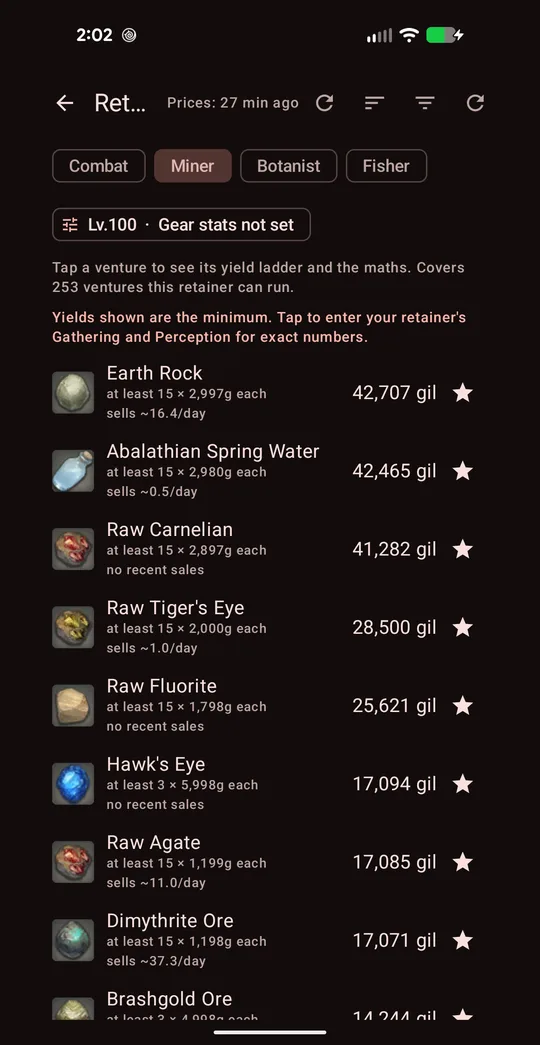
Open Retainer Ventures and pick the retainer's class: Combat, Miner, Botanist or Fisher.
Tap the stats chip ("Gear stats not set") and enter the retainer's level, and either item level (Combat) or Gathering and Perception (Miner, Botanist, Fisher). You'll find these on the retainer's gear window in game. Until you do, yields shown are the minimum.
The list then ranks every venture that retainer can run by gil value per run at current prices. A "slow seller" note warns when one run would flood the market for days.
8Price alerts
Price alerts tell you when an item gets cheap, even while the app is closed.
- Open any marketable item (from search, a list, or a recipe) and set Notify me under to your target price.
- Go to Settings and turn on Price alerts (background). Allow notifications if Android asks.
- The app checks your watched items about once an hour and notifies you when one hits its target.
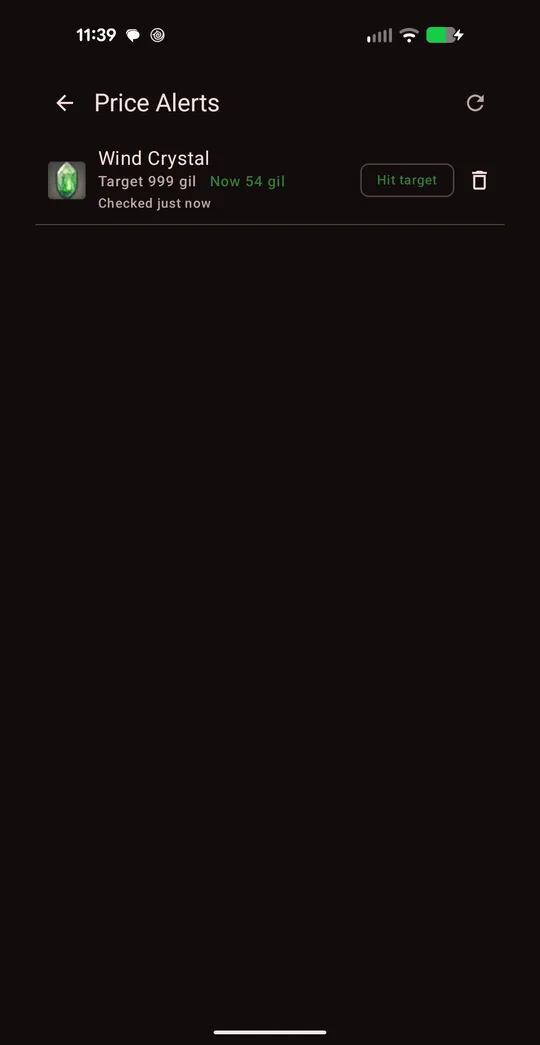
The Price Alerts screen on home lists everything you're watching, the current price, and a "Hit target" badge when an item is under your number. Tap the bin icon to stop watching.
9Reading the badges and timestamps
- Prices: N min ago (top bar) — how old the prices on this screen are. Tap the refresh icon to fetch fresh ones.
- sells ~N/day — average sales per day on your world. Your best protection against crafting something nobody buys.
- slow — sells below your slow-seller threshold.
- verify - thin data — too few recent sales to trust the expected price. Check the recent sales before committing.
- Troll listings (the 999,999,999-gil kind) are checked against what the item actually sells for, so they don't float to the top of a list.
Free version and the full unlock
Every tool works for free. Free lists show a sample of results with a Watch an ad to see more button to reveal extra rows. The one-time full version removes ads and unlocks every result, search inside lists, filtering, sorting and Favorites. There's no subscription.
GET IT ONGoogle PlayNext: read the app overview and FAQ, or put it to work with crafting for profit and vendor flipping.
XIV Profitability is a fan-made tool operated by First Impact Development LLC. It is not affiliated with, endorsed by, or sponsored by Square Enix. FINAL FANTASY XIV © SQUARE ENIX CO., LTD. Google Play and the Google Play logo are trademarks of Google LLC. Market data from Universalis.